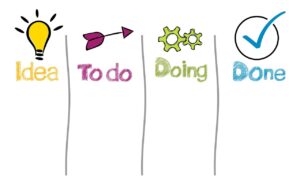

Your files and tasks do not need a perfect system. They need a predictable home, a clear name, and a review habit strong enough to prevent today’s work from becoming next month’s clutter.
Disorganization usually grows quietly. A document remains in Downloads, a task stays inside an email, a screenshot is saved without a useful name, and several versions of the same file begin circulating.
The solution is not creating dozens of folders. It is reducing the number of decisions required to store, find, and complete work.
Use this standard: every actionable item should show what must happen next, while every file should reveal what it contains, which project it belongs to, and whether it is still active.
Give Work Three Clear Homes
A calendar should hold meetings, deadlines, and protected work periods. It should not become the only place where tasks exist. Likewise, a cloud folder can store supporting files, but it cannot replace a clear task list showing ownership and next actions.
Seven Rules That Keep the System Manageable
Use one task inbox
Move actionable requests from email, chat, notes, and meetings into one trusted capture point.
Name the next action
Replace vague entries such as “budget” with a visible action such as “Review the supplier budget draft.”
Create folders around work
Organize active material by client, project, campaign, case, or outcome rather than by broad file type alone.
Keep folder depth shallow
Most people retrieve files faster from a few clear levels than from a long chain of narrowly named subfolders.
Use consistent file names
Choose one naming pattern and apply it to important documents so sorting and searching remain predictable.
Separate active from completed
Move finished projects into an archive so the current workspace reflects work that still requires attention.
Review before reorganizing
Delete duplicates, close abandoned tasks, and remove unnecessary material before creating new categories.
Where Each Item Should Live
| Item | Recommended home | Avoid leaving it in |
|---|---|---|
| Action requested by email | Task or project system, with a link back to the message when useful | Unread email used as the only reminder |
| Meeting or appointment | Calendar with time, location, attendees, and required preparation | Chat messages or personal memory |
| Working document | Active project folder with a descriptive file name | Downloads, desktop, or an email attachment |
| Procedure or reusable guide | Shared knowledge base or reference library | A private message thread |
| Completed project | Archive containing the final approved material and necessary records | The same active folder used for current work |
A Practical File-Naming Pattern
A useful name is understandable without opening the file. One flexible pattern is:
Project – Document – Date – Status or Version
Examples:
- Northwind – Campaign Brief – 2026-07-23 – Approved.pdf
- Hiring – Interview Notes – 2026-07-23 – Candidate 04.docx
- Website – Homepage Copy – 2026-07-23 – v03.docx
Use a sortable date format such as YYYY-MM-DD when chronology matters. Avoid unclear names such as final-new-2-revised. A version number or status is more useful when several people are editing the same material.
A 30-Minute Digital Reset
Do not organize the same information everywhere
Duplicating a task across email, chat, calendar, notes, and several project boards creates more maintenance than clarity. Choose one source of truth for status, then link to the supporting files or messages when needed.
File Name Builder
Generate a consistent starting name for an important document. Review the result before using it and avoid placing confidential information in the file name.
Suggested name
Weekly Organization Checklist
Make Retrieval Easier Than Reorganization
A productive system should help you find the next task and the correct file without rebuilding the structure every week.
Use one task inbox, organize files around active work, apply a consistent naming pattern, archive completed projects, and reserve a short weekly reset. That is usually enough to create order without turning organization into another full-time project.

The SHP Digital Atelier Editorial Team publishes practical and accessible educational content about online tools, SaaS platforms, workflow automation, file optimization, document management, productivity systems, and digital operations. Our guides focus on clear instructions, realistic limitations, responsible comparisons, and information readers should verify before choosing or implementing a digital product or service.