Free software can support a serious workflow. A paid subscription becomes worthwhile only when a real limitation—such as restricted history, insufficient automation, missing administration, or repeated manual work—costs more than the upgrade.
The strongest productivity stack does not require an application for every possible activity. It needs a clear place for tasks, projects, shared knowledge, communication, and carefully selected automation.
One tool, one primary job: avoid storing the same task in several applications. Decide which platform owns the final status, then use links or integrations to connect supporting information.
Five Tools With Useful Free and Paid Paths
Todoist for focused task management
Todoist is a clean option for capturing tasks, setting dates and priorities, and organizing personal work into projects. Its free Beginner plan is suitable for testing the system without building a complicated workspace.
A paid plan becomes more relevant when you need greater project capacity, deeper filters, calendar planning, task duration, expanded reminders, or more reporting history.
Trello for visual project flow
Trello uses boards, lists, and cards to show where work stands. The free plan can support a small team or individual workflow with due dates, assignees, Power-Ups, and limited built-in automation.
Paid tiers are more useful when the workspace needs more boards, larger attachments, advanced checklists, custom fields, additional automation, broader views, or stronger administrative controls.
Notion for documents and databases
Notion combines pages, databases, project information, meeting notes, procedures, and lightweight task tracking. Its free plan is especially practical for personal use and for testing a small connected workspace.
Upgrading makes more sense when a team needs fewer collaboration limits, larger file uploads, longer page history, private team spaces, advanced permissions, additional integrations, or company-level administration.
Slack for team communication
Slack organizes conversations into channels and supports file sharing, direct messages, calls, and integrations. A free workspace can be enough for a small team that does not depend on long-term message history or extensive connected applications.
Paid plans become valuable when older conversations must remain searchable, larger group calls are needed, workflows become more important, or the team requires expanded collaboration and administrative features.
Zapier for repetitive handoffs
Zapier connects supported online applications through automated workflows. Its free tier is useful for testing simple two-step automations, such as creating a task after a form submission.
Paid plans support more advanced workflows, including multiple steps, faster checks, conditional paths, filters, additional application access, and stronger team or administrative features.
Free Plan or Paid Plan?
| Tool | The free plan may be enough when | Consider paying when |
|---|---|---|
| Todoist | You need a dependable personal task list with basic projects and priorities | Planning limits, reminders, calendar features, or reporting restrict daily work |
| Trello | A small number of boards can represent the full workflow clearly | You need advanced views, more automation, larger files, or workspace controls |
| Notion | You are building a personal workspace or testing a simple team structure | File, history, permission, integration, or collaboration limits become operational problems |
| Slack | The team mainly needs recent conversations and basic communication | Older context, advanced workflows, larger calls, or administration are essential |
| Zapier | One simple trigger-and-action workflow removes enough repetitive work | You need multi-step logic, filters, premium applications, or faster processing |
A sensible free-first stack
Use Todoist for personal actions, Trello for a shared visual workflow, Notion for procedures and project knowledge, Slack for conversation, and Zapier only for one or two repetitive handoffs.
This combination works only when each tool has a defined responsibility. Do not create the same task in Todoist, Trello, Notion, and Slack unless an integration keeps one source of truth.
Should You Upgrade?
Select the limitations currently affecting your work. The result helps distinguish a useful upgrade from an unnecessary subscription.
Review security before connecting the stack
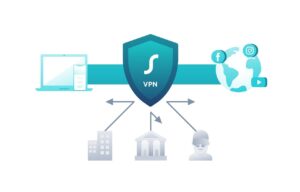
Every integration can create another path to company information. Use multifactor authentication, grant only necessary permissions, review connected applications, remove inactive accounts, and avoid placing confidential files in tools that have not been approved for that information.
How to Avoid Subscription Waste
- Test the free plan with real work before upgrading.
- Pay for a documented limitation, not a future possibility.
- Check annual commitments, usage limits, storage, and renewal terms.
- Assign an owner who reviews inactive users and unnecessary integrations.
- Export important information before canceling or changing platforms.
- Review the stack every three to six months and remove duplicate tools.
Official Plan Pages Reviewed
Plan limits, features, prices, promotions, and billing terms may change. These official pages were reviewed in July 2026.
Upgrade Only When the Workflow Proves the Need
Free tools are often enough to establish a productive system. Paid plans become valuable when they remove a measurable bottleneck, strengthen necessary controls, or save more time than they cost.
Begin with the smallest practical stack, assign one clear role to each platform, and expand only after a real limitation appears.

The SHP Digital Atelier Editorial Team publishes practical and accessible educational content about online tools, SaaS platforms, workflow automation, file optimization, document management, productivity systems, and digital operations. Our guides focus on clear instructions, realistic limitations, responsible comparisons, and information readers should verify before choosing or implementing a digital product or service.